D1 Defend, Author at D1 Defend - Page 3 of 39 D1 Defend

D1 Defend, Author at D1 Defend - Page 3 of 39 D1 Defend

x

Bitwarden’s Iframe Flaw Explained

The purpose of password managers is to safeguard our login credentials and online accounts. However, a popular password manager recently made headlines for its major security flaw. Bitwarden is under scrutiny because its autofill feature gives hackers easy access to sensitive information. The company has known about the vulnerability for years but left the issue unaddressed.

If your company uses Bitwarden, here’s everything you need to know about the issue. That way, you can take the necessary steps to secure your login credentials and other private data.

Why Is Bitwarden’s Iframe Flaw Dangerous?

Cyber security firm Flashpoint recently discovered something unusual about Bitwarden. The password manager’s browser extension auto-fills all forms, including those within an iframe.

Why is that dangerous? Inline frames, or iframes, host third-party content on a parent page. They are usually for advertisements, interactive content, and embedded videos. Unfortunately, hackers can also use them to steal sensitive information. They can place a login form in the iframe, wait for inputs, and send the data to a remote router.

That is why Bitwarden’s auto-fill feature for iframes is problematic. It is essentially serving login credentials to hackers on a silver platter. The good news is that Flashpoint hasn’t found many websites that place iframes on their login page.

Why the Vulnerability Issue Remains

After discovering the security flaw, Flashpoint notified Bitwarden. In response, Bitwarden sent a Security Assessment Report dated Nov. 8, 2018. That meant the company was aware of the problem. The document describes the iframe issue and why the company decided not to fix it.

These are the reasons for not addressing it:

Users should be able to log in to all websites, even those with embedded iframes.
If there’s a malicious iframe embedded on a site, it’s safe to assume that data has already been compromised even without Bitwarden’s inputs.

Bitwarden doesn’t autofill login credentials without users’ consent. Users can always turn the feature off.

To encourage Bitwarden to tighten its security, Flashpoint explained various attack vectors that hackers could use to steal information. Bitwarden has decided to retain its iframe functionality but agreed to exclude the hosting environments the cyber security firm discussed. To prevent exploitation, Bitwarden users can disable the “auto-fill on page” feature.

Business owners must exercise due diligence in choosing security tools and platforms. You may not realize that the services that promise to protect data can be the first entry point for hackers. Lack of research and foresight can ruin your brand’s reputation, cost you millions and break your customers’ trust.
Used with permission from Article Aggregator

Slow File Transfer Windows 11 Solution

Microsoft has finally released a fix to address slow file transfer issues that plagued some Windows 11 users after an update. The slowdown has caused frustration for those who need to move large files or data quickly.

The Problem

Users who upgraded to Windows 11 2022 have complained about slow file transfer speeds. The issue was related to the Server Message Block (SMB) protocol. It allows computers on a network to share files and communicate. It allows programs to open files, read and write to them, and request help from other computers on the web.

A Windows 11 2022 update has affected file transfers via SMB. Copying large files from a
remote computer to a Windows 11 computer or within a local drive became slower than usual. Microsoft has explained the problem in an advisory for OS Build 22621.1344.

The Fix

The good news is that there’s now a fix for the bug. This comes with the release of the
KB5022913 February 2023 update.

Released last Feb. 28, 2023, the fix is optional and does not contain security updates. Users can download and install it from the Windows Update settings manually.

How Businesses Can Address Slowdowns

Slow file transfer speeds in Windows 11 can be a problem for business owners. It can waste time, cause missed deadlines, and result in lost revenue.

To address slowdowns, business owners can update their Windows 11 devices with the latest patch or version that includes the new fix.

They can also consider upgrading their hardware to boost file transfer speeds even further.

To protect their data, business owners should implement backup and recovery solutions. This will help lessen the risk of data loss if there is a system failure or disaster.

Finally, business owners should train employees to use the updated Windows 11 operating
system effectively.

Final Thoughts

The slow file transfer issue in Windows 11 has been a source of frustration for many users,
particularly business owners, who rely on efficient data transfer to improve productivity and profitability. As a business owner, keeping your Windows 11 devices updated with the latest patches is essential. Also, consider upgrading hardware to enhance transfer speeds and backup and recovery solutions.

By taking these steps, you can ensure that your business operations run smoothly and efficiently without unnecessary delays.

Used with permission from Article Aggregator

5 Ways Technology Can Streamline Your Business Operations and Save You Time

As a business owner, time is your most valuable resource. Every minute counts and any inefficiencies or bottlenecks can cost you dearly in terms of lost productivity, missed opportunities, and reduced profits. Fortunately, technology provides numerous tools and solutions that can help streamline operations while saving you time. Here are five ways technology can make running your company smoother:

Automate Your Repetitive Tasks: Sending emails, scheduling social media posts and generating reports can all be automated using tools like Zapier, IFTTT or Hootsuite. By automating these repetitive activities you free up time for more strategic activities that need your focus.

Utilize Cloud-Based Services: Cloud-based services such as Google Drive, Dropbox and Microsoft OneDrive enable you to store and access your files securely, access them from anywhere and collaborate with your team in real-time. This eliminates the need for email attachments, physical storage or time-consuming backups, streamlining your workflow.

Adopt Project Management Software: Project management software such as Asana, Trello or Basecamp can help you stay organized and on track with tasks, deadlines and team members. With these applications, assign tasks, set priorities, monitor progress and communicate with your team all from one place – saving you time and reducing confusion in the process.

Take Digital Payments: Digital payment solutions such as PayPal, Stripe or Square can simplify billing and payment processes, reduce paperwork and expedite cash flow. With these programs you can send and receive payments online, set up recurring payments automatically and track transactions – saving time while improving customer experience.

Implement Customer Relationship Management (CRM) Software: CRM software such as Salesforce, HubSpot or Zoho can help manage customer interactions, automate sales processes and enhance customer satisfaction. You’ll be able to track leads, deals and customer feedback while personalizing communication with them – saving time while increasing sales!

By adopting these five technology solutions, you can simplify your business operations, save time, and boost productivity. There are countless other tools and solutions out there; select those which meet your individual needs and goals. Time is money; every minute saved allows for growth within your business. Want to learn more about how technology can streamline your business operations and save you time? Call us today to schedule a free consultation.

Used with permission from Article Aggregator

SAP Releases Patches for Various Flaws

SAP, a leading business software company, recently released fixes for 19 bugs in its products.

Hackers could delete files, add code, or access sensitive data through some of these flaws. Four flaws have high severity, while 10 have a medium severity rating.

Understanding the SAP Vulnerabilities

SAP products that received security fixes include:

  • SAP NetWeaver AS for Java
  • SAP NetWeaver AP for ABAP
  • SAP NetWeaver Application Server for ABAP
  • SAP Business Objects Business Intelligence Platform

SAP’s Dominance in the Market

SAP is the world’s largest enterprise resource planning (ERP) company. It has over 400,000 customers and a market share of 24%.

Nine of 10 Forbes Global 2000 companies use SAP solutions. They are widely used for customer relationship management (CRM) and supply chain management (SCM).

Even though many people use SAP products, security breaches are rare. However, these security holes are a huge potential threat to companies.

Recent SAP-Related Incidents

Last year, the US Cybersecurity and Infrastructure Security Agency (CISA) warned about SAP vulnerabilities.

CISA advised administrators to patch SAP business apps’; critical security flaws to prevent data theft.

Also, in April 2021, hackers used fixed flaws in SAP systems to get into corporate and
government networks.

These networks didn’t have updated SAP systems. As a result, hackers could get into their networks and steal data.

What You Can Do As a Business Owner

To protect your business from potential threats, make sure to update your SAP systems as soon as possible.

You can follow these tips to safeguard your company:

1. Regularly check for updates and apply security patches as soon as they become available.
2. Monitor security advisories from SAP and CISA for the latest information on
vulnerabilities.
3. Conduct regular security audits to determine where your IT infrastructure might be weak.
4. Train your staff to recognize and report potential security risks.
5. Use multi-factor authentication to make user accounts safer.
6. To handle security breaches and cyberattacks, quickly create and maintain an incident
response plan.

If you quickly address software bugs and consistently reinforce your security, you can reduce the risks of cyberattacks and make your business safer. Steps to secure sensitive data will also help you build customer trust.

Even though cyber threats evolve, you can protect your company and your customers and
partners by actively fixing holes and following industry best practices.

Used with permission from Article Aggregator

Harnessing the Power of the Internet of Things (IoT) for Business

You may have heard the term Internet of Things (IoT) as a business owner. But are you aware of its extent and how it can benefit your company?

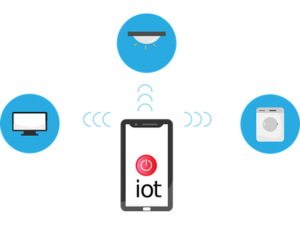
IoT is all about connecting everyday objects with sensors, software, and technology. This allows them to “talk” to each other over the internet. Connecting these devices creates new opportunities for businesses like yours.

IoT can boost your business in many ways. It can help enhance operations and make customers happier. It also lets you create new, cutting-edge products and services.

Unlocking the Benefits of IoT for Your Business

One main reason to use IoT is to make your business run smoother. IoT devices can automate tasks, keep track of inventory, and watch equipment performance as it happens. This can help you save money, boost your business’s efficiency, and reduce downtime.

Think of an IoT-enhanced bakery, for example. The bakery could use IoT sensors to check oven temperatures from anywhere. This ensures the baking process goes right and lowers the chance of ruined products.

Enhancing Customer Experiences With IoT

Great customer experiences are critical to your business’s success in today’s challenging market. IoT helps you understand your customers better by gathering important data.

With this data, you can make customer interactions more personal. You can recommend products and services they’ll enjoy and expect their future needs.

One example is a retail store using IoT sensors to study how customers move around. This info helps the store arrange products and offers in a way that boosts sales.

IoT and Data Security: Protecting Your Business

IoT has many advantages, but it’s crucial to consider the risks as well. Data security is one of the main concerns.

Adding more devices to your network can make cyberattacks more likely. So, how can you protect your business?

You can use strong security measures like encryption and keep your software updated. You should also train your employees. With these steps, you can enjoy the benefits of IoT and keep your data and assets safe.

The Future Is Bright: Embracing IoT for Business Growth

IoT technology is growing fast, and it is changing the way businesses work. If you start using IoT now, your company can stay successful in the long run. This helps you stay ahead in a constantly changing market.

Don’t be scared of new tech; embrace IoT in your business plan and discover its benefits.

Used with permission from Article Aggregator

Schedule a Call