Blogs Archives - Page 25 of 59 - D1 Defend D1 Defend

Blogs Archives - Page 25 of 59 - D1 Defend D1 Defend

x

From Insight to Action: How Data Analytics Can Help Your Business Grow

Companies of all sizes have unparalleled access to information in today’s digital era. Data created by a business may give significant insights into its operations and performance, from customer interactions and sales numbers to staff efficiency and market trends. 

One of the most important ways companies can use technology to make smarter decisions is by utilizing data analytics. Businesses may obtain a greater understanding of their consumers, markets, and operations by gathering, organizing, and analyzing data and using this information to influence their decision-making process. There are various ways for businesses to employ technology for data analytics, including: 

Cloud-based data storage and analytics: Using cloud computing for data storage and analysis allows organizations constant access to their data from any device. With a variety of tools and services for gathering, storing, and analyzing data, cloud-based data storage and analytics systems, like Google Cloud or Amazon Web Services, make it simple for organizations to obtain insights and make wise decisions. 

Business intelligence (BI) software: BI software provides a variety of tools and functions for gathering, organizing, and analyzing data, as well as presenting it in an easily consumable style. BI software enables firms to identify patterns and anomalies in their data and make more informed decisions. 

Data visualization tools: Data visualization tools enable organizations to build interactive dashboards and reports that aid in making sense of large amounts of data. By displaying data in an easily consumable way, these tools assist businesses in identifying trends and patterns that may not be immediately apparent. 

By collecting, organizing, and analyzing data with the use of technology, businesses may get important insights that can guide their decisions. Whether you want to maximize your marketing efforts, enhance your sales process, or simplify your operations, data analytics can help you achieve your company’s goals. 
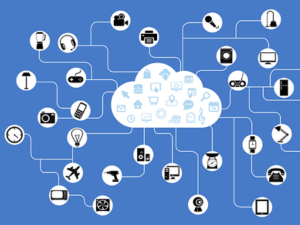
Used with permission from Article Aggregator

The Risks of IoT Devices: How to Secure Your Business

The Internet of Things (IoT) is a growing network of devices connected to the internet and each other. These include smart tools, security devices, wearables, and appliances. These devices make people’s lives easier and more convenient. But they can also come with security risks that put businesses in danger.

Cyberattacks on IoT devices are increasing, so it’s essential to understand common vulnerabilities.

Key IoT Security Issues

IoT security issues that can make businesses vulnerable to attacks include:

  • Weak authentication and authorization. Some IoT devices need better security measures. Also, some devices need to manage user permissions better.
  • Unsafe data storage and transfer. IoT devices often store sensitive information like usernames or personal data. Threat actors can steal this information if data storage is not secure or encrypted when transferred.
  • No privacy protection. IoT devices sometimes collect and share user data without proper permission or disclosure.
  • Bad device management. Some IoT devices have outdated software and firmware, making it easy for hackers to exploit.

These security issues show why it is vital to address IoT vulnerabilities. You must know what sections of your IoT system are vulnerable and act quickly to secure them.

Emerging Threats to IoT Devices

As the number of Internet of Things (IoT) devices continues to grow, so do the emerging threats that come with them. Recently, security researchers have discovered vulnerabilities in smart garage door openers and voice assistants that hackers can utilize.

Exploiting Smart Garage Door Openers

CISA recently reported that hackers could remotely open smart garage door openers. The problem was due to weak security in the device’s communication. Hackers can use this to open house garages without the owners knowing.

Ultrasonic Attacks on Voice Assistants

Researchers found a new ultrasonic attack that can send harmful commands to voice assistants in IoT devices. These attacks use sound waves we can’t hear to give commands to voice assistants. This allows hackers to control devices without anyone noticing.

The Impact of IoT Security Risks on Businesses

IoT security risks can cause significant problems for businesses, like:

  • Data breaches. Attackers can steal sensitive information, like customer data, financial records, and intellectual property.
  • Operational problems. Cyberattacks can make IoT devices stop working, causing downtime and lost productivity.
  • Financial losses. Data breaches can lead to lost money and damage a company’s reputation.
  • Legal and regulatory penalties. Businesses that don’t protect customer data can be fined and penalized by government authorities.

Protect Your Business From IoT Security Risks

As a business owner, protecting your company from IoT security risks is essential. Here are the steps you can take:

  • Change default passwords: Use strong, unique passwords for each IoT device.
  • Secure communication: Ensure your IoT devices use encrypted communication to protect data.
  • Update regularly: Keep your devices’ software and firmware up to date to fix known weaknesses.
  • Physical security. Put IoT devices in secure places to stop unauthorized access and tampering.

Protect your business and customers from the risks by staying informed about IoT security threats. Ensure your IoT devices’ security and provide training on IoT best practices.

Implementing a robust IoT security strategy can minimize potential threats. As a result, you can ensure a safer environment for your business operations and customer data.

Used with permission from Article Aggregator

AlienFox Malware: The Swiss Army Knife of Cloud Attacks

Researchers at SentinelLabs have uncovered a new, modular malware toolkit called “AlienFox.” Cybercriminals use AlienFox to breach email and web hosting services. It compromises misconfigured hosts on cloud platforms and takes sensitive data. 

You can often find this new toolkit in Telegram groups. Researchers call AlienFox a “Swiss Army knife” toolkit because of its versatility.

Understanding AlienFox

AlienFox is a modular malware toolkit. It has various components that can combine to suit the attacker’s needs. This allows cybercriminals to target services in unusual ways, increasing the malware’s effectiveness and potential damage. 

This type of malware is dangerous because it can attack a wide range of cloud services, posing a significant threat to businesses relying on the cloud.

How AlienFox Operates: Targeting Misconfigured Hosts

AlienFox utilizes security scanning platforms such as LeakIX and SecurityTrails. Through these platforms, it can generate a list of misconfigured hosts. The toolkit deploys scripts to extract sensitive information from configuration files, including API keys and other sensitive information. 

Later versions of AlienFox can establish AWS account persistence and escalate privileges. It can also collect send quotas and automate spam campaigns. These campaigns will use victim accounts and services to cause further damage.

The Impact on Businesses: Beyond Crypto Mining

With AlienFox, opportunistic cloud attacks have expanded beyond crypto mining. For businesses, the consequences of an AlienFox attack can be significant. It can include extra service costs, loss of customer trust, and remediation expenses. 

The malware has targeted numerous services, including Microsoft 365 and Google Workspace.

Protecting Your Cloud Services

To prepare for the threat, business owners should put in place the following measures:

  1. Ensure your cloud services have proper configuration to prevent unauthorized access. Review and update often to maintain security.
  2. Limit user access by granting only the necessary permissions for each role. This lowers the risk of an attacker gaining access to sensitive data or critical systems.
  3. Educate your employees on phishing attacks, suspicious links, and other cybercrime tactics. A well-informed workforce can help prevent breaches.
  4. Perform routine security assessments to identify potential vulnerabilities and address them.
  5. Establish a monitoring system to detect and respond to potential security incidents. Swift action can cut the damage caused by an attack.

Defending Your Business in the Online World

The AlienFox malware can pose a significant problem for those using cloud services. It can attack many different cloud services and can be easily changed by cyber criminals. Therefore, it presents a severe risk for businesses.

To protect your company from AlienFox and other online threats, staying informed and taking measures to keep your systems safe is essential. Ensure your cloud services are set up correctly and only give people the necessary access. Check your security protocols regularly and have a protocol to watch for any problems.

AlienFox is a reminder that the internet can be dangerous for businesses. You must be careful and adopt good security practices to protect your business and customers from online dangers. By implementing strong cybersecurity measures, you can stay protected from threats like AlienFox.

Used with permission from Article Aggregator

Business Continuity Planning: How to Prepare Your IT Systems for Disasters

As a business owner, you know that unexpected events can happen anytime.

Natural disasters, cyberattacks, and even human mistakes can all harm your IT systems. This damage can lead to downtime and cost your business money.

A good business continuity plan is vital to keep your business strong and able to bounce back when tough times hit. This article will detail the critical steps to prepare your IT systems for disasters.

Understand Your IT Infrastructure

Before creating a business continuity plan, it’s essential to understand your IT setup.

First, check your hardware, software, network inventory, and connections between these systems. This information lets you examine your infrastructure’s weak spots. Then, decide which systems are most important and focus on their recovery.

Assess Risks and Prioritize Systems

To prepare for disasters, determine what risks could affect your IT systems. Risks can come from various sources. Danger can come from floods, earthquakes, and other natural disasters. Cyberattacks like ransomware or data breaches are also a concern.

Find out how likely these risks will occur and what damage they could do to your company. Then, rank your systems by how important they are to your business. That way, you’ll know which methods need the most focus in your business continuity plan.

Develop a Disaster Recovery Plan

A disaster recovery plan is crucial to your overall business continuity strategy. It outlines the specific steps you will take to restore your IT systems in the event of a disruption.

To develop an effective disaster recovery plan:

  1. Set your recovery goals. Figure out the most prolonged downtime you can afford for each critical system. Then, create your recovery point objectives (RPOs) and recovery time objectives (RTOs). RPOs define how much data your business can afford to lose, guiding your backup frequency. RTOs set the target time to restore IT systems after a disruption, helping you plan for allowable downtime.
  2. Pick the proper backup methods. Use offsite storage, cloud backups, or both to protect your data. Create a recovery plan that matches your RPOs and RTOs.
  3. Assign roles and responsibilities. Ensure you outline each team member’s roles and duties during disaster recovery. This will ensure a coordinated response when a disaster occurs.
  4. Test and update your plan. Make sure you assess your disaster recovery plan often. This helps you find any weak spots. Keep your plan updated as your business evolves.

Foster a Culture of Preparedness

Your team is essential for making your business continuity plan work. Make sure they know their roles during a crisis by providing training. Build a culture of preparedness in your company through regular practice drills and open discussions about risks.

Embrace Proactive Planning for a Resilient Business

Preparing for disasters is an ongoing task, not just a one-time effort. You need to pay attention and adapt constantly. Start by knowing your infrastructure and assessing risks. Then, create a solid disaster recovery plan and encourage a culture of preparedness. This way, your business can face any disaster and stay resilient.

Used with permission from Article Aggregator

The Importance of Secure Passwords in the Age of AI

Businesses always look for ways to protect their sensitive data. But have you considered the growing threat of AI cracking your passwords? 

Recent studies show that AI can crack many passwords in less than a minute. This poses a significant risk to businesses of all sizes. Let’s discuss why you need stronger passwords and offer tips for creating more secure ones.

AI Cracking Passwords Faster Than Ever Before

Cybersecurity researchers have been testing the capabilities of AI platforms to crack passwords. One of these platforms is PassGAN, which uses machine learning to create guesses. 

In a recent experiment, researchers from Home Security Heroes input millions of passwords from a leaked dataset into PassGAN. Home Security Heroes wanted to see how quickly it could crack the codes. 

The results were revealing. 51% of common passwords were cracked in under a minute. PassGan even cracked seven-character passwords in less than six minutes.

Why Stronger Passwords Matter for Your Business

These findings should be a wake-up call for business owners. Weak passwords can leave your company’s sensitive data vulnerable to cybercriminals.

If your employees use easily cracked passwords, it is only a matter of time before a hacker exploits this weakness, leading to potential data breaches and financial loss.

Tips for Creating Secure Passwords

It’s vital to use strong passwords to protect your business. Experts recommend passwords with at least 15 characters. Mix lowercase and uppercase letters, numbers, and symbols. These types of passwords would take an estimated 14 billion years to decode, making them virtually uncrackable.

Here are some additional tips for creating secure passwords:

  • Avoid using common words, phrases, or patterns.
  • Don’t use personal information in your passwords, such as names or birthdays.
  • Use a unique password for each account.
  • Consider using a passphrase – a series of random words or sentences – instead of a single phrase.
  • Update your passwords regularly and never reuse old ones.

Strengthen Your Business’s Password Security

In light of the growing threat of AI cracking passwords, it is more important than ever for business owners to focus on password security. 

Implement best practices and follow the tips above. Doing so can significantly reduce the risk of data breaches and protect your company’s valuable information. 

Remember, a secure password – and your knowledge – is a crucial defense against online threats.

Used with permission from Article Aggregator

Schedule a Call